

Bulk Mode: Review Many ICAO Codes at Once
12/2/2025
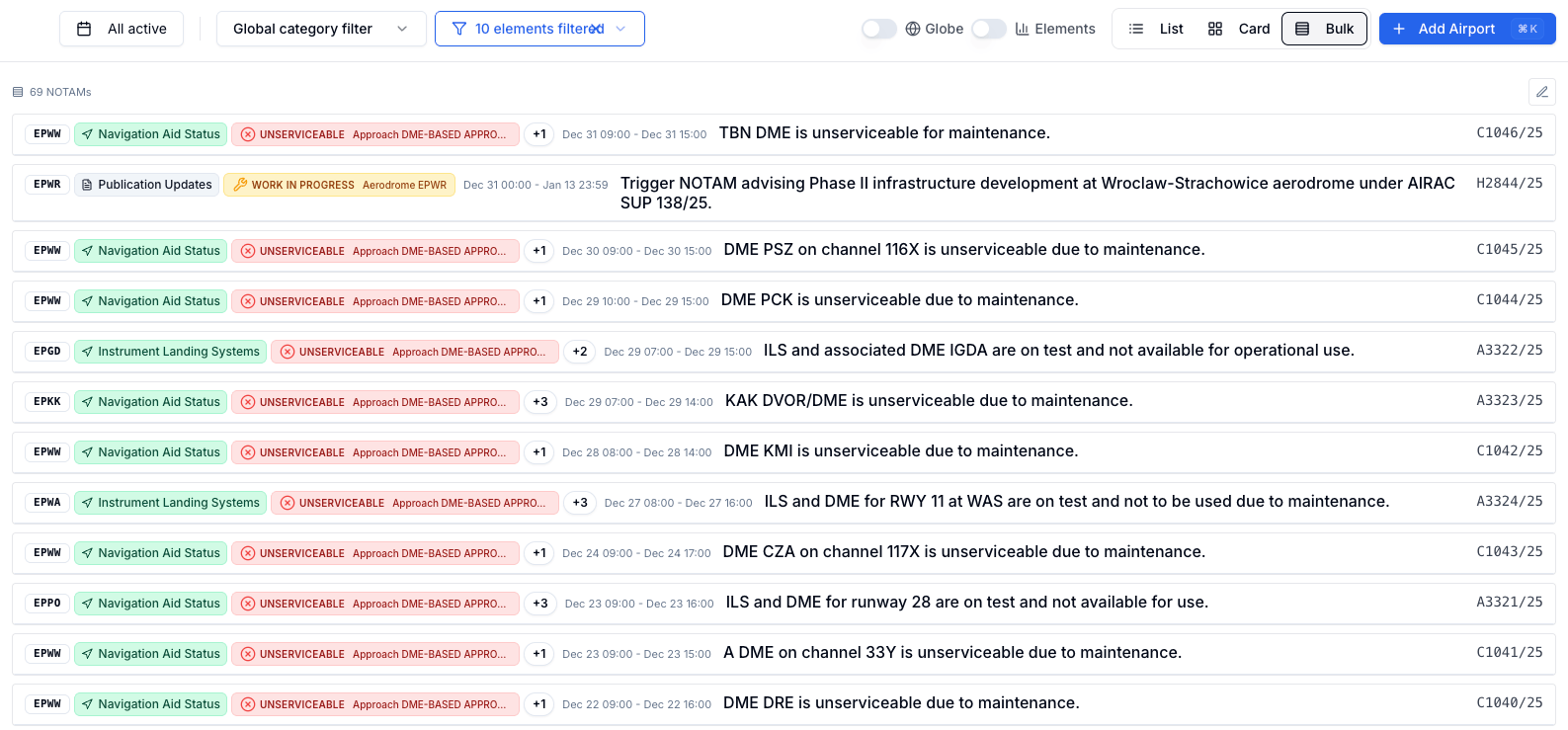
Bulk Mode in the Notamify Dashboard lets you monitor NOTAMs for many airports simultaneously in a single, unified list. It is designed for rapid scanning with the latest items on top and precise, per‑airport filtering when you need to narrow focus.
Why Bulk Mode
- Many ICAO codes at once: Track dozens (or hundreds) of airports in one place.
- Latest first: NOTAMs are sorted by start time (newest first) so fresh items surface immediately.
- Clear context: Each NOTAM shows an inline airport badge and UTC timing range for quick orientation.
Key capabilities
-
Multi‑ICAO management
- Quick edit menu to review codes, add new ones, or remove those you no longer need.
- Per‑airport filters for both Category and Affected Elements, with a filter indicator when active.
-
Predictable ordering
- Deterministic sort: issued time; ties are consistently ordered by ICAO code.
-
Fast review workflow
- Fully interactive NOTAM cards; click a title to open details.
- Lightweight header shows total NOTAM count and a loading indicator when refreshing.
How it works
- Add airports from the header, then open the edit menu to adjust the list as needed.
- Use per‑airport filters to narrow results by operational category or affected elements.
- The list updates instantly and always keeps the latest, relevant NOTAMs on top.
If your list is empty, you’ll see a clear prompt to add airports and begin reviewing NOTAMs in bulk.
Have feedback on Bulk Mode or want tailored workflows for your operation? We’d love to hear from you.

Read more...
Your AI Agent, Connected to Notamify
10/6/2026
Use Notamify coverage, interpretations and briefings in Codex, ChatGPT, Claude and Muse Code. Connect with your existing account and manage access in Notamify.
Track Starship NOTAMs and Restrictions
9/27/2026
Explore Starship launch restrictions, route closures and re-entry NOTAMs on one map, with notices grouped by airport and flight information region.
Faster Flight Briefings and Automatic Airport Summaries
9/25/2026
Flight briefings now generate 47% faster with improved accuracy. Airport summaries take around few seconds, with a new Auto option for airport pages.
4 Million NOTAMs: What Happens After an Airport Closes
9/12/2026
A review of airport closures, changing airspace restrictions and the information available to flight operations teams in Notamify’s archives.