

All Pro features in one workspace.
Brief flights, visualize NOTAMs, automate updates, and integrate structured NOTAM intelligence into your operation.
Pro is built for the full NOTAM review loop
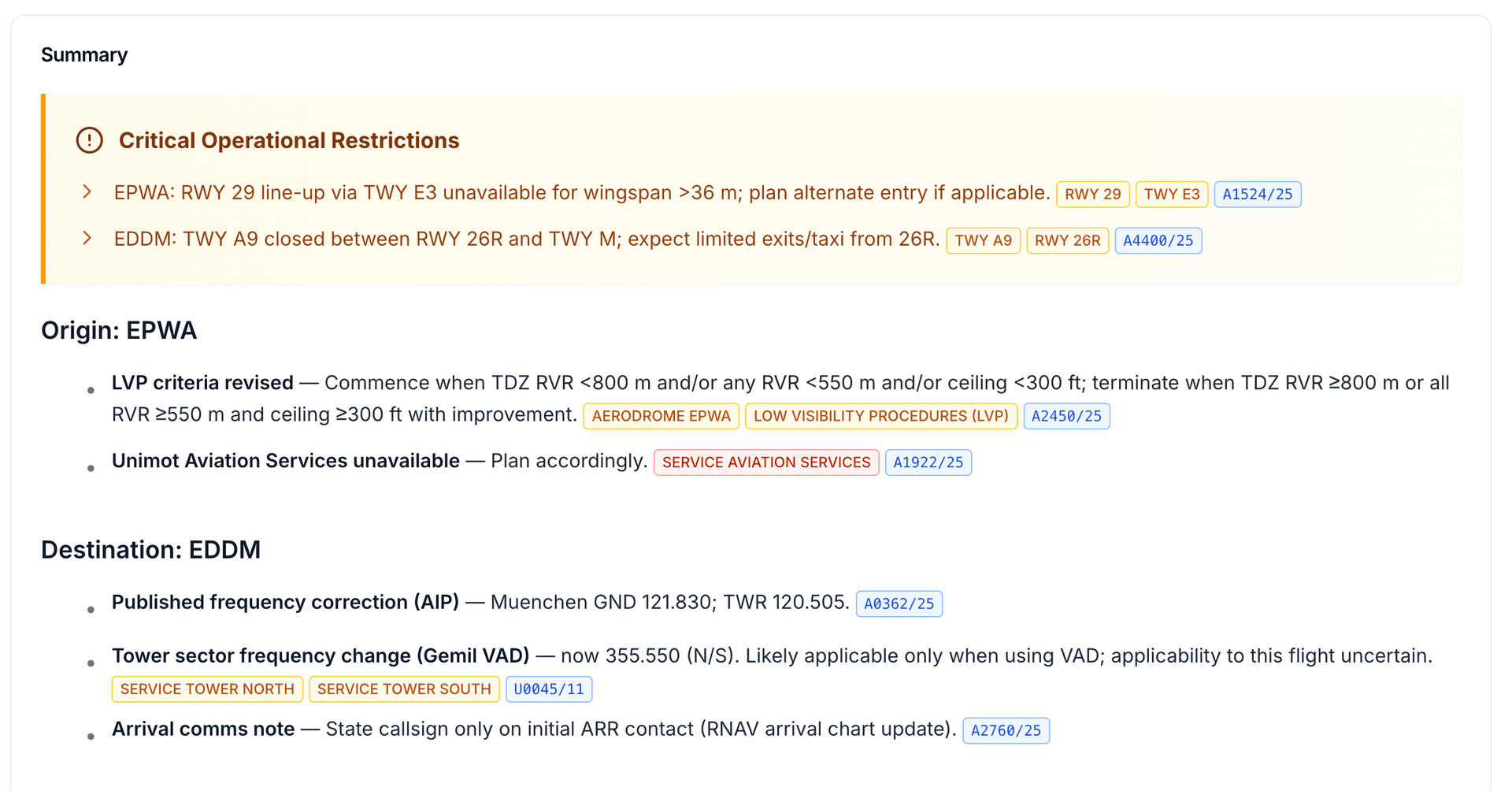
Brief a flight
Upload or enter flight details, then let Pro rank NOTAMs by time, route, runway, procedure, and aircraft relevance.
Inspect the impact
Open the map, globe, timeline, and affected elements to understand what is closed, restricted, unavailable, or changed.
Automate the next review
Schedule an email, save important notices, or move the same interpreted data into your own system via API.
The features that change how you read NOTAMs
Pro connects briefing, visualization, filtering, email scheduling, and developer access around the same interpreted NOTAM data.
Flight Briefings
Generate a briefing around the actual movement: route, alternates, schedule, runway intent, procedure context, and aircraft profile. Pro helps crews and dispatchers see the NOTAMs that materially affect the flight first.
- Departure, destination, alternate, and route context
- Runway, procedure, equipage, and timing relevance
- OFP upload, ATC FPL parsing, and manual entry
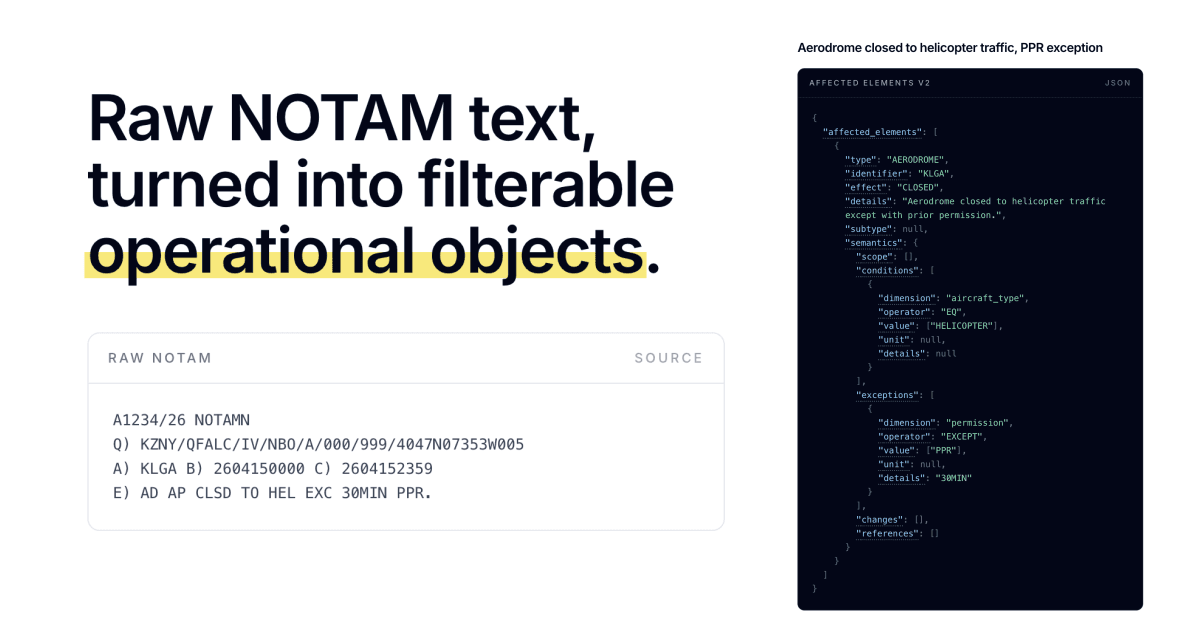
Affected Elements V2
Turns raw NOTAM text into typed operational objects: runways, taxiways, airspace, procedures, services, conditions, exceptions, and machine-readable changes.
- Filterable effects, conditions, exceptions, and references
- Shared data layer for API, profiles, briefings, and globe views
- Built for operational review without losing source fidelity
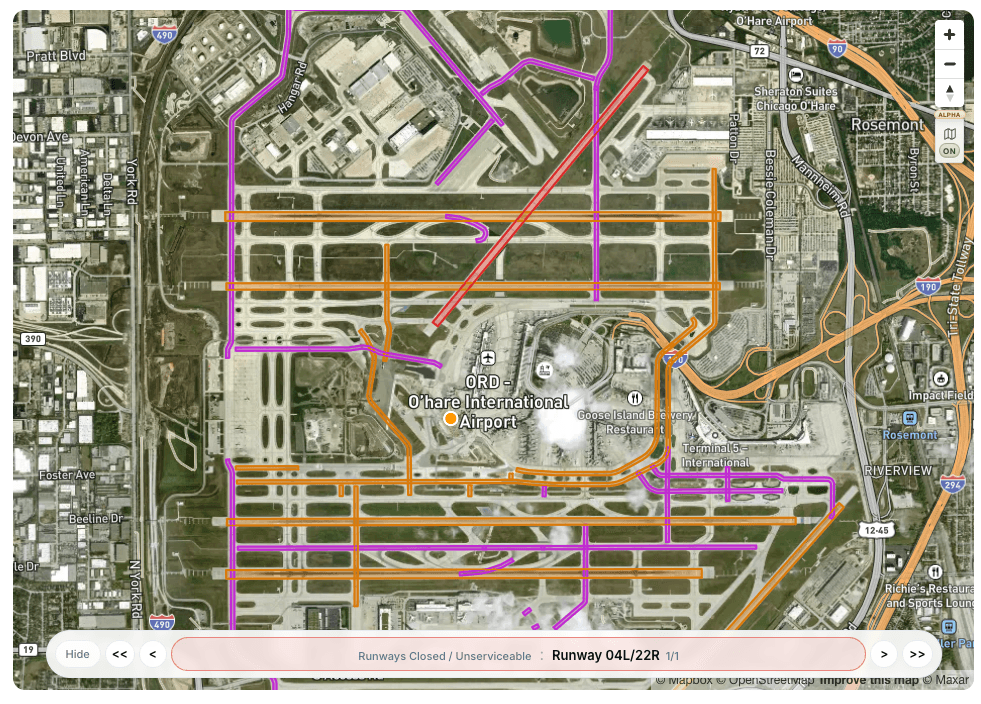
Notam Globe and Map Visualization
Review graphical NOTAMs without translating coordinates manually. See affected aerodromes, runways, taxiways, airspace, obstacles, and source NOTAM references in context.
- Graphical restrictions, polygons, circles, and airport elements
- Navigate affected airports, runways, and taxiways directly
- Click from the globe back to the exact NOTAM in the list
Everything else included in Pro
The day-to-day tools that make Pro useful for pilots, dispatchers, operators, and developers.
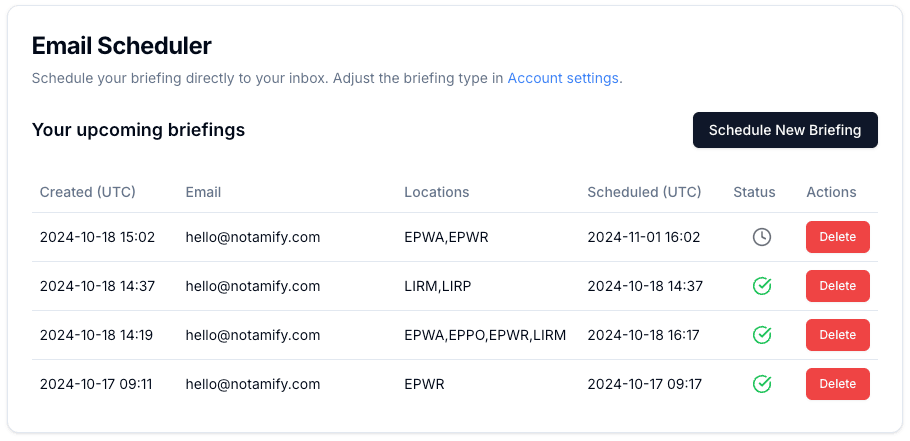
My Flights
Drop your roster and schedule flight briefing emails automatically.
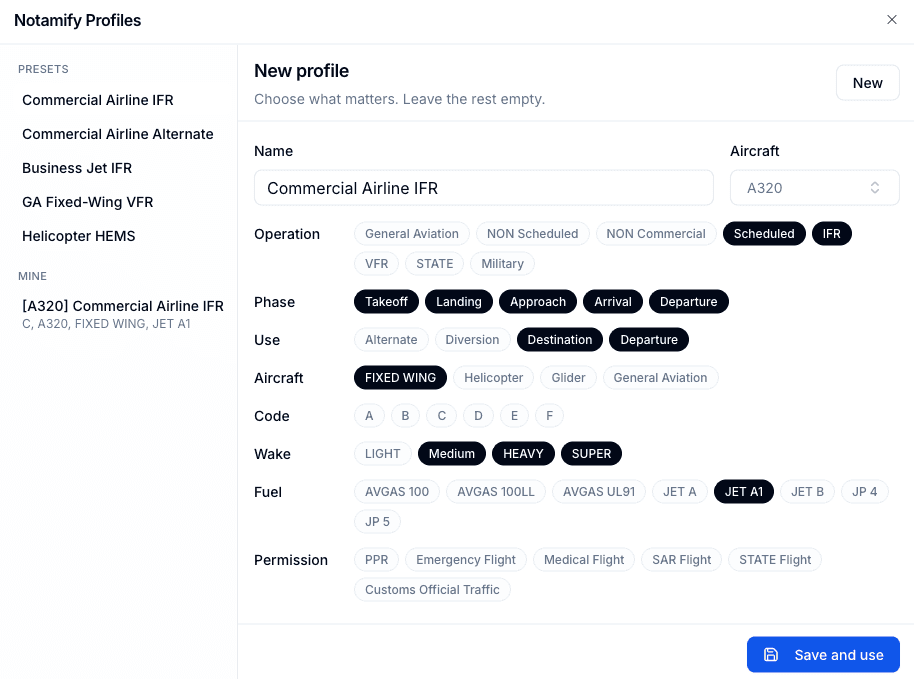
Profiles and Noise Filtering
Choose airline IFR, alternate planning, business jet, GA VFR, HEMS, or custom aircraft profiles to sort or filter NOTAMs by operation.
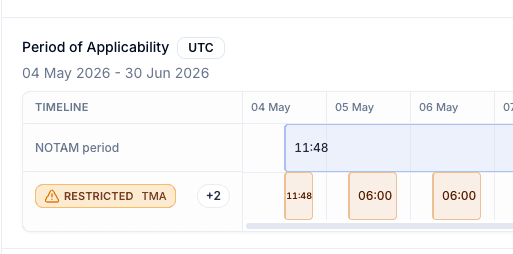
Affected Element Timeline
See when a scheduled NOTAM applies and which runway, airspace, service, or procedure is affected during that time window.

Bulk View and FIR/UIR
Review many airports, FIRs, and UIRs together with time, category, affected-element, and newest-activity filtering.
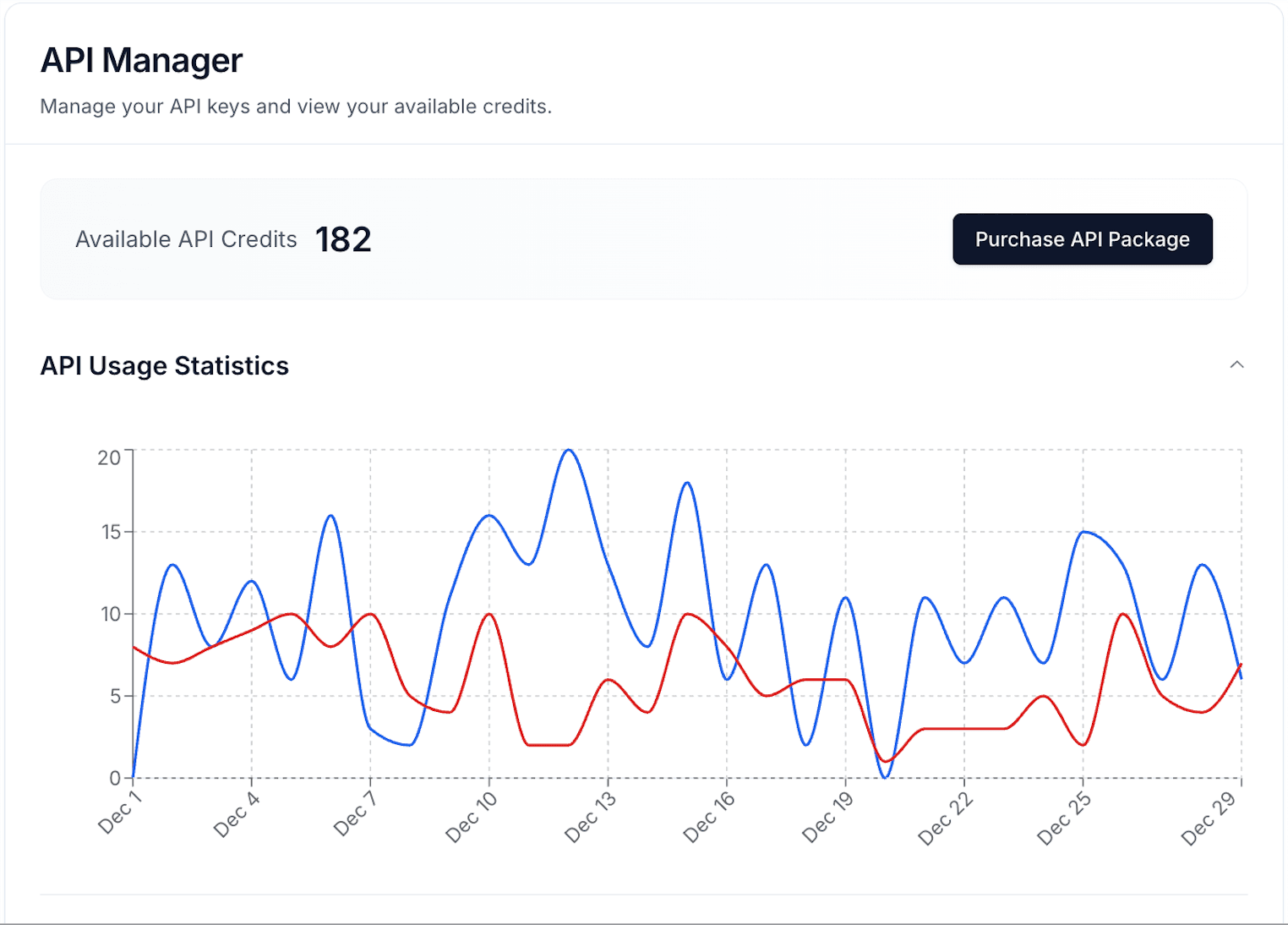
API, SDK, and Watcher
Use welcome API credits, REST endpoints, official Python SDK workflows, briefing jobs, usage analytics, and Watcher delivery.
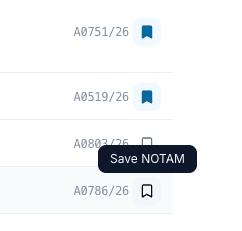
Saved and New NOTAM Context
Save important notices, highlight new NOTAMs since your last visit, and keep review context synced across devices.
Priority Support
Get faster help for Pro workflows and manage subscription, billing, preferences, API keys, and account settings.
We're so nerdy about NOTAMs, so you don't have to be.
We take care of the parsing, timelines, affected elements, and visual context so your briefing workflow can stay focused on operational decisions.