

NOTAM Alerts for Airline OCC: Airport Monitoring Without Keyword Noise
6/12/2026
Most NOTAM alerting starts with a simple promise: choose some airports, add a few keywords, maybe add a Q-code, and wait for an email.
That works until the first busy day.
An Operations Control Center does not need every NOTAM that contains the word "runway." It needs to know when a runway is closed, when fuel is unavailable, when an airport is restricted for the kind of operation the airline actually flies, and when a new notice changes the decision a dispatcher has to make.
That is what Notamify Alerts are built for.
An airline customer already uses Notamify in a real OCC workflow for airport monitoring. The goal is not to create another inbox full of aviation text. The goal is to surface the few NOTAMs that change operations, quickly enough that dispatch can act before the issue reaches the crew as a surprise.
NOTAM alerts need more than text matching
Keywords are brittle. Q-codes are useful metadata, but they are not enough to express the operational meaning of a NOTAM.
A NOTAM can look serious but apply only to a narrow operation, or look routine while carrying a meaningful constraint for your fleet. Timing, operational scope, and the affected airport item all matter.
If your alert rule only sees words, it cannot reliably answer the question an OCC cares about:
Does this affect our operation?
Notamify Alerts use interpreted operational context instead of treating every NOTAM as a paragraph of text. That lets teams monitor user-facing outcomes such as airport closures, runway availability, airport services, procedure changes, or airspace restrictions.
For alerts, that difference is practical. You can monitor the operational event you care about instead of maintaining a fragile list of phrases that might appear in the E field.
Built for airport monitoring in the OCC
OCC teams monitor airports differently from a single pilot preparing a single flight. They need persistent coverage across a network: hubs, alternates, destinations, diversion airports, and airports that matter only under certain disruptions.
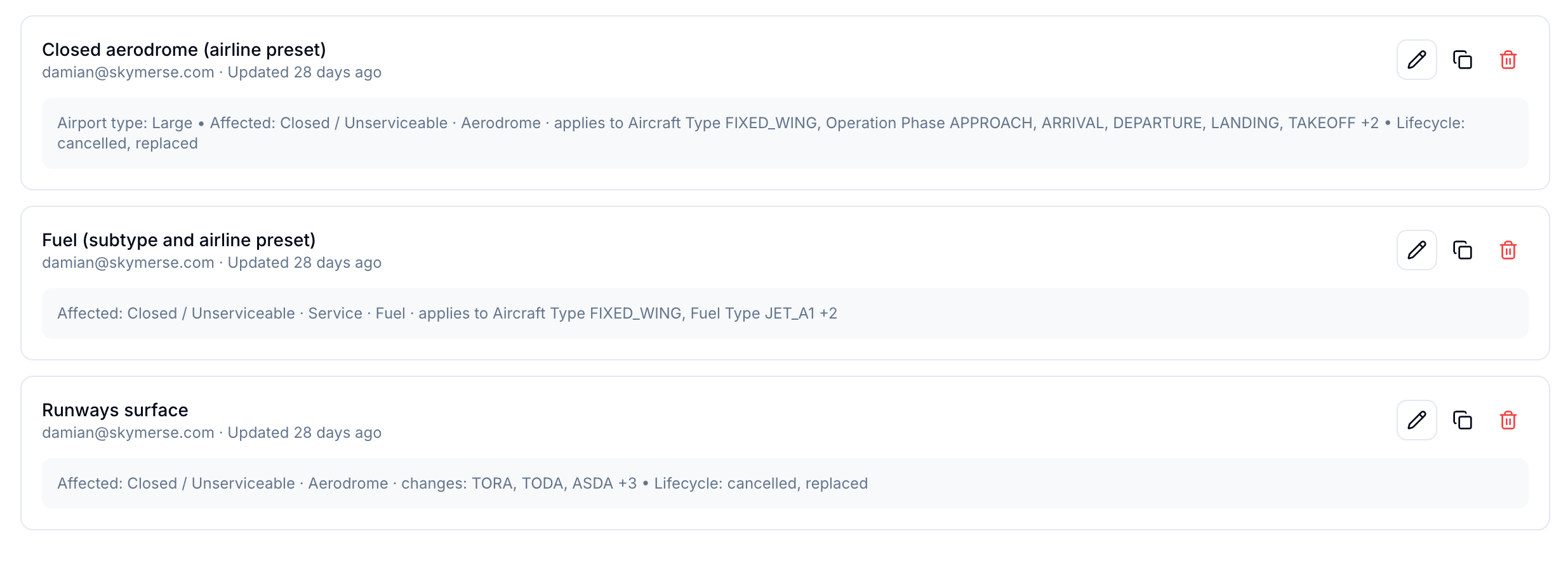
Notamify Alerts let a team monitor specific ICAO codes or airport types, then add operational filters. An alert can be broad, such as "email us when any monitored large airport becomes closed." It can also be narrower when a team only wants alerts that match a specific operational scope.
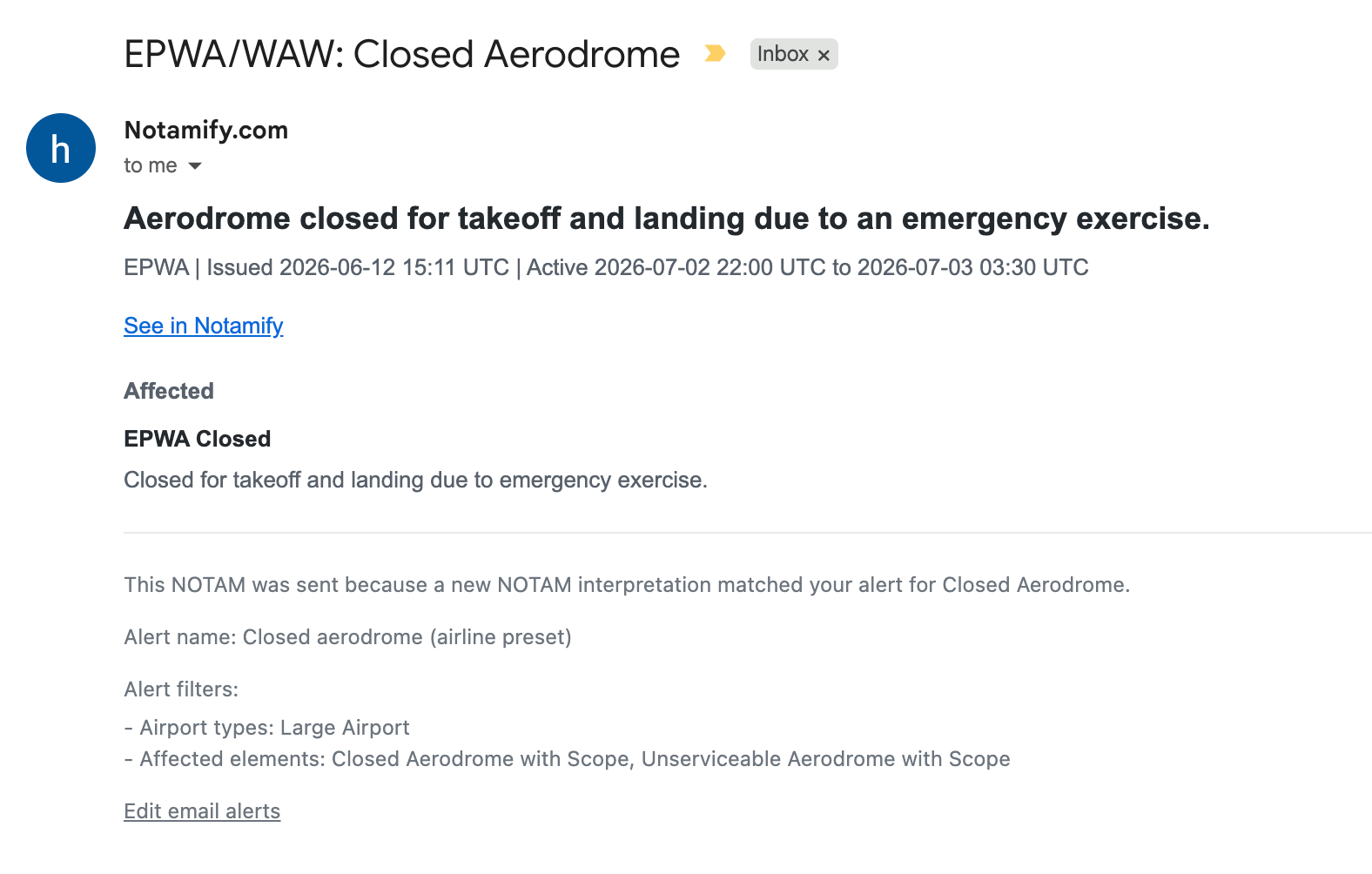
The alert email explains why it was sent. It shows the airport, timing, affected element, effect, and the alert rule that matched. That matters in an OCC because alerts are shared operational artifacts. A dispatcher receiving the email should be able to understand the trigger without opening a configuration screen.
Company operation profiles
Airlines can build company operation profiles for better filtering and share them within the team.
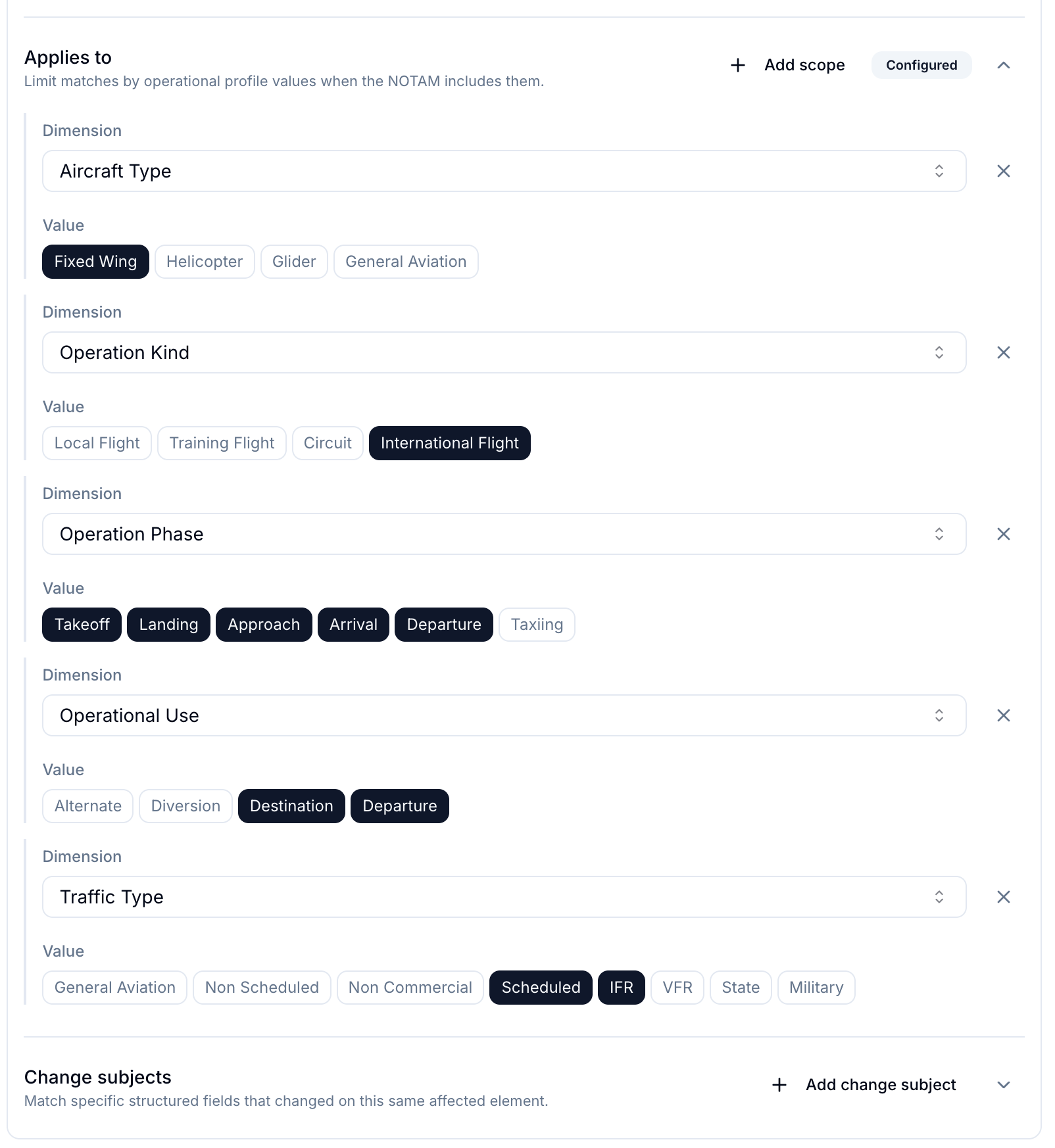
This is where the product becomes much more useful than a saved search. A profile can describe the operation the airline actually cares about without asking every dispatcher to rebuild that scope manually.
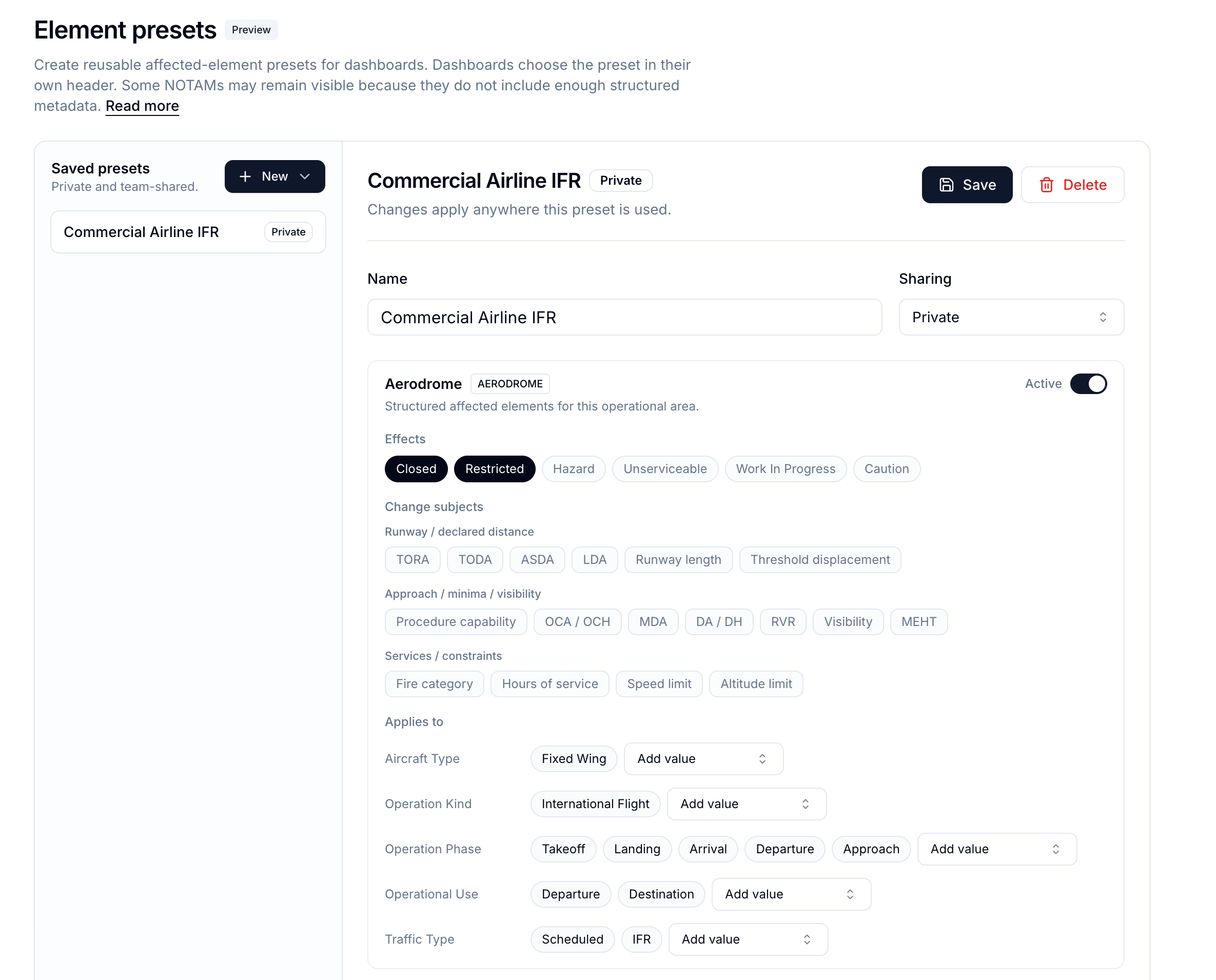
Those profiles can be reused in alert creation. The team does not need every dispatcher to rebuild the same logic by hand. One person can create the company profile, share it, and the rest of the OCC can apply it when creating or editing alerts.
Creating alerts should feel closer to working in Google Docs than writing integration logic. The rule is visible, editable, reusable, and easy to discuss with another operator.
The profile does not replace the core alert condition. It sharpens it, so the alert stays closer to the operation the team actually wants to monitor.
Example use cases
Fuel unavailability tracking
Fuel NOTAMs are a good example of why operational alerts matter.
A keyword rule for "fuel" will catch too much. It may catch a phone number update, a prior notice reference, a supplier schedule, a partial restriction, or a full outage. An OCC needs to know whether the notice changes actual fuel availability for the operation.
When the source notice carries useful fuel context, Notamify can surface that in the product instead of leaving it buried in text.
That means an airline can create a NOTAM alert for new fuel-service issues at monitored airports and receive an email when a matching NOTAM is issued.
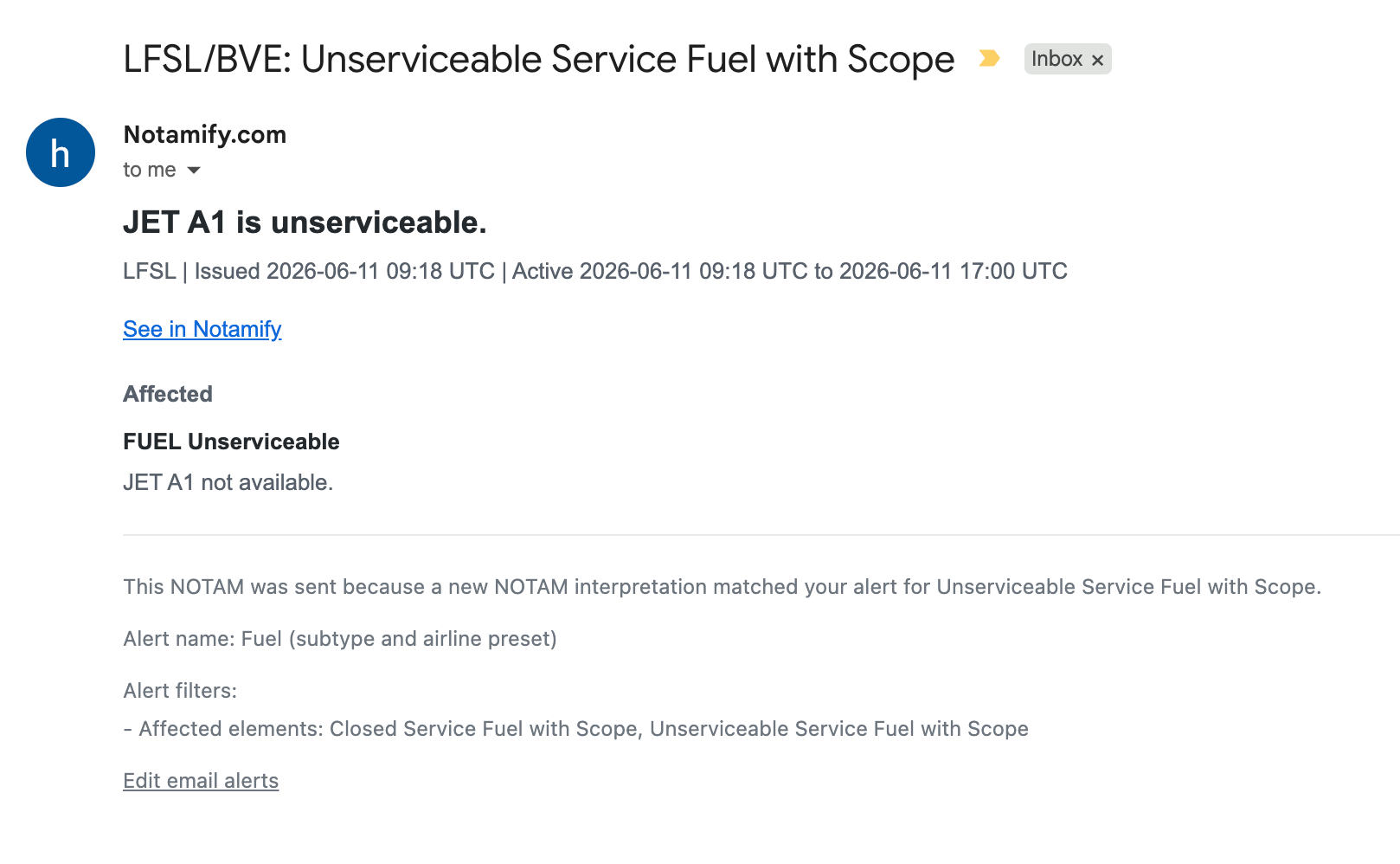
This is the kind of alert an OCC can act on immediately: a fuel-service issue appears at a monitored airport and the team sees the operational reason for the email.
Airport closure and restriction
Airport closure alerts sound simple until the exceptions appear.
"Aerodrome closed" is not always the whole story. A NOTAM may include scope, timing, or exceptions that change how the closure should be handled.
Notamify Alerts are designed to keep that operational context visible so teams can distinguish a broad airport closure from a narrower restriction.
The alert is not just asking whether the text looks serious. It is helping the OCC decide whether the notice affects the operation being monitored.
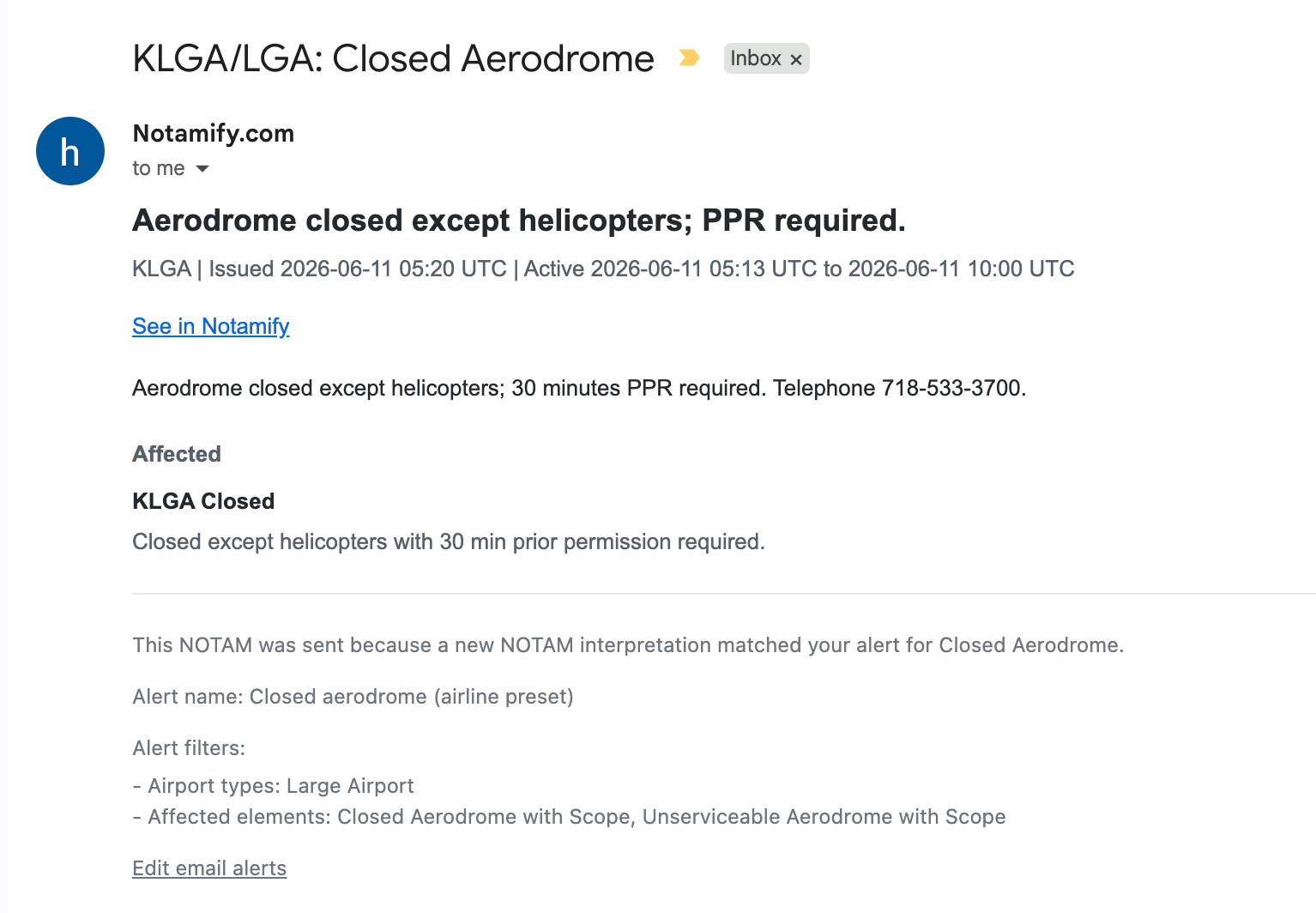
In this KLGA example, the email keeps the relevant closure context visible so the dispatcher can understand why the alert was sent.
Runway closure
Runway closure alerts are one of the highest-value cases for an airline OCC.
A closed runway can change capacity, routing, alternates, delay risk, takeoff performance, landing performance, and crew planning. But runway NOTAMs also include partial restrictions, displaced thresholds, declared distance changes, works in progress, lighting outages, and schedule windows.
With Notamify Alerts, a team can monitor runway-impact notices directly without relying on a growing list of text patterns.
That makes the alert easier to explain: "Email us when a monitored airport has a closed runway" or "Email us when runway availability changes affect our operation."
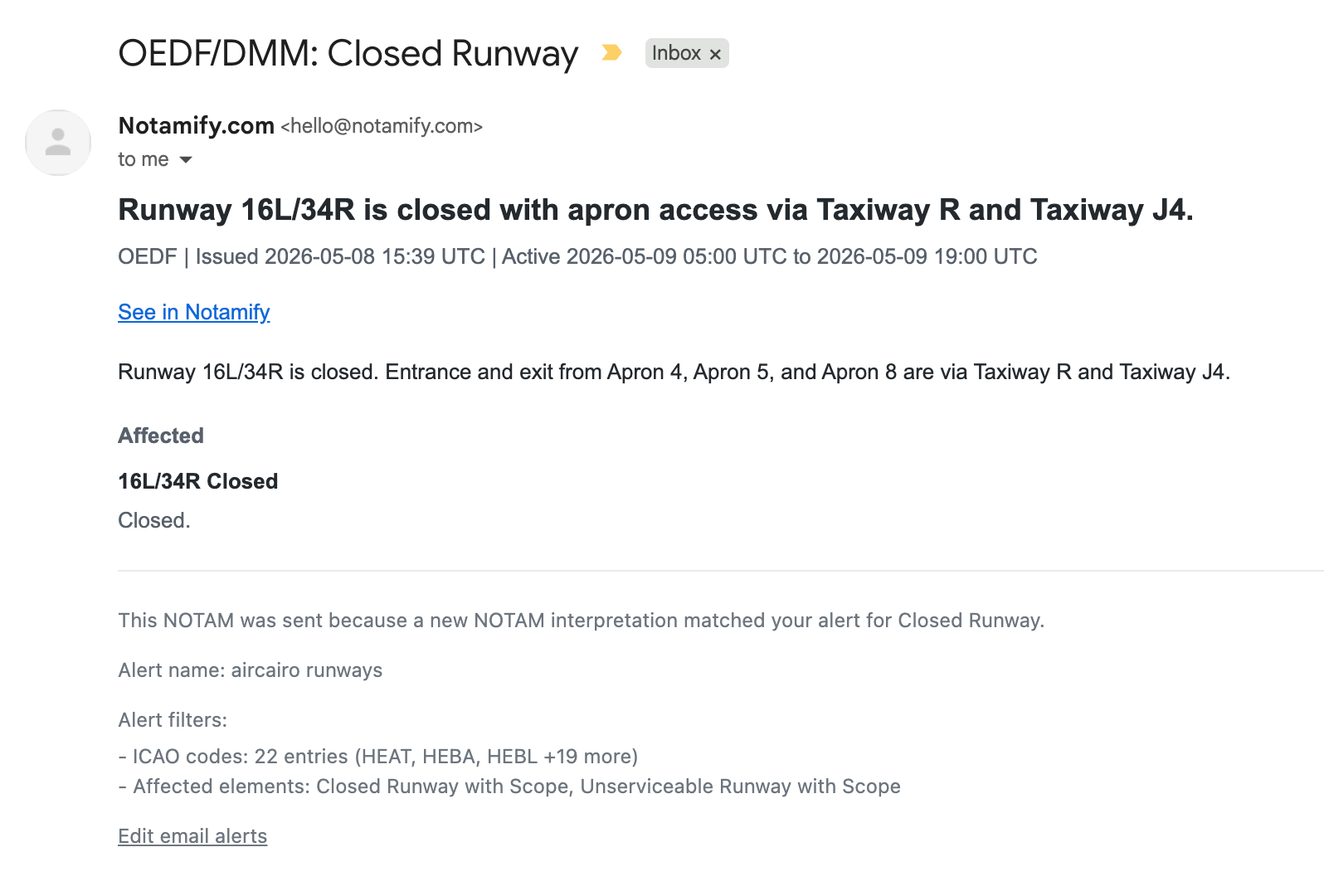
In this OEDF example, the email makes the runway issue explicit while still carrying the supporting detail dispatch needs for the next decision.
And many more
The same product behavior supports approach capability changes, ILS and localizer outages, PAPI and lighting issues, fire category changes, taxiway closures, apron restrictions, airspace restrictions, low-visibility procedure changes, and other airport-service disruptions.
That is how NOTAM alerts become useful in daily operations instead of just becoming another notification channel.
The practical result
A good alert is not clever. It is explainable.
Someone in the OCC should be able to look at an alert and say, "This was sent because a new NOTAM closed a monitored aerodrome for our type of operation," or "This was sent because fuel service became unserviceable for a fuel type we track."
That is the standard Notamify Alerts are designed around.
They are fast enough for live airport monitoring, structured enough to avoid keyword noise, and collaborative enough for a team to maintain together.
For airlines, the point is simple: important NOTAMs should reach the OCC when they are issued, with enough meaning attached that the team can decide what to do next.
Explore Notamify Alerts See Affected Elements V2 Read the Alerts manualInterested in Notamify Alerts for your OCC? Leave your email, we'll contact you
We'll only use your email to contact you about this feature. No spam, ever.

Read more...
Your AI Agent, Connected to Notamify
10/6/2026
Use Notamify coverage, interpretations and briefings in Codex, ChatGPT, Claude and Muse Code. Connect with your existing account and manage access in Notamify.
Track Starship NOTAMs and Restrictions
9/27/2026
Explore Starship launch restrictions, route closures and re-entry NOTAMs on one map, with notices grouped by airport and flight information region.
Faster Flight Briefings and Automatic Airport Summaries
9/25/2026
Flight briefings now generate 47% faster with improved accuracy. Airport summaries take around few seconds, with a new Auto option for airport pages.
4 Million NOTAMs: What Happens After an Airport Closes
9/12/2026
A review of airport closures, changing airspace restrictions and the information available to flight operations teams in Notamify’s archives.