

Notamify Globe: Interactive Visualization for Spatial NOTAMs
4/24/2025
Visualizing spatial NOTAMs has always been challenging. Text descriptions like "5NM RADIUS CENTERED AT 343220N 1353017E" require mental translation into geographic context. For busy pilots and dispatchers reviewing dozens of coordinate-based NOTAMs, this spatial translation adds cognitive load precisely when focus is most needed. Today, we're excited to introduce Notamify Globe - our solution to bring geospatial clarity to coordinate-based NOTAM management.
Introducing Notamify Globe
The Notamify Globe provides an intuitive, interactive visualization of NOTAMs with geographical components in their precise spatial context. The system automatically detects and visualizes NOTAMs containing coordinates, including obstacles, restricted areas, and affected flight routes. Whether you're reviewing airspace restrictions for a single airport or examining affected areas across an entire FIR/UIR, the Globe instantly transforms abstract coordinates into clear visual boundaries.
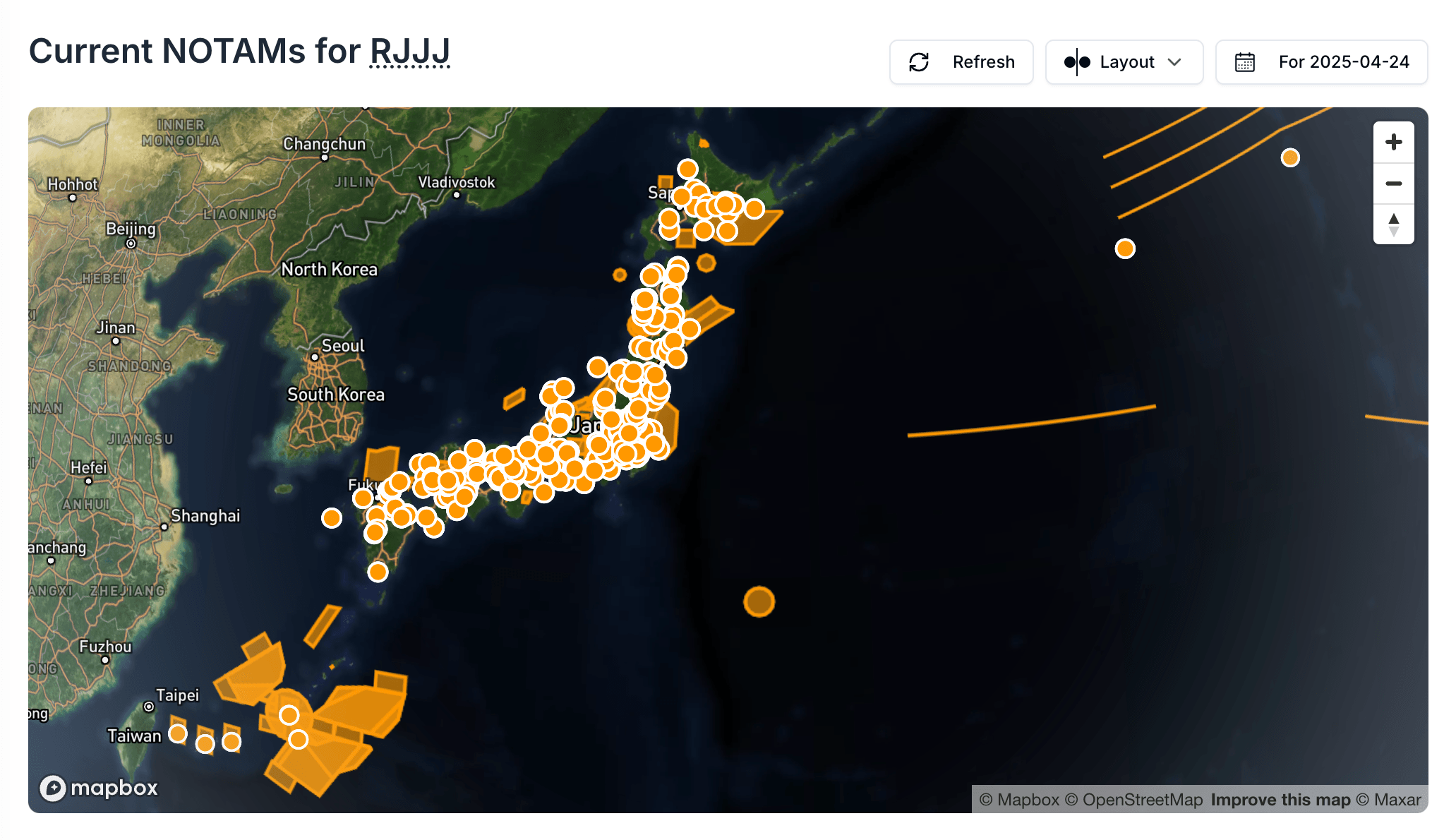
With Notamify Globe, users can:
- Instantly visualize NOTAM boundaries, restrictions, obstacles, and danger areas
- See precise coordinates of restricted airspace without mental calculation
- Identify overlapping restriction zones
- Quickly assess the spatial impact of multiple NOTAMs
- Plan routes with greater awareness of obstacles and restricted areas
Flexible Viewing Options
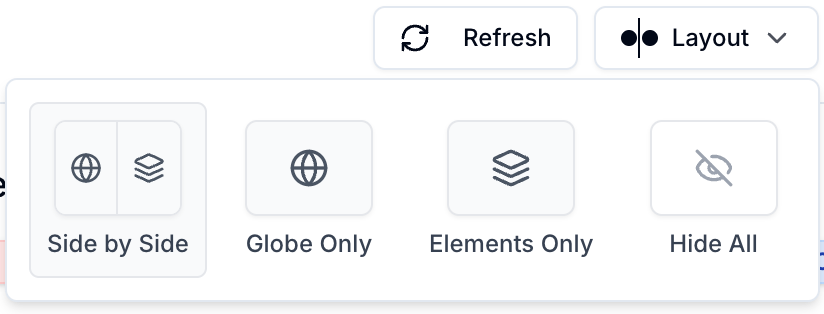
We understand different situations call for different views. Our new layout controls allow you to customize your NOTAM viewing experience:
Three Viewing Modes
- Complete View: The default experience showing NOTAMs, atomic elements, and the globe together
- Globe Only: Focus exclusively on the geographic visualization of coordinate-based NOTAMs
- Atomic Elements Only: Focus on affected infrastructure.
- NOTAMs Only: For those situations where you need to focus on the detailed text
Switching between these views is seamless with our new layout button in the interface header.
Real-World Impact
The Globe visualization has already shown measurable benefits in our beta testing, particularly for NOTAMs describing complex airspace restrictions and obstacles.
What the Globe Shows
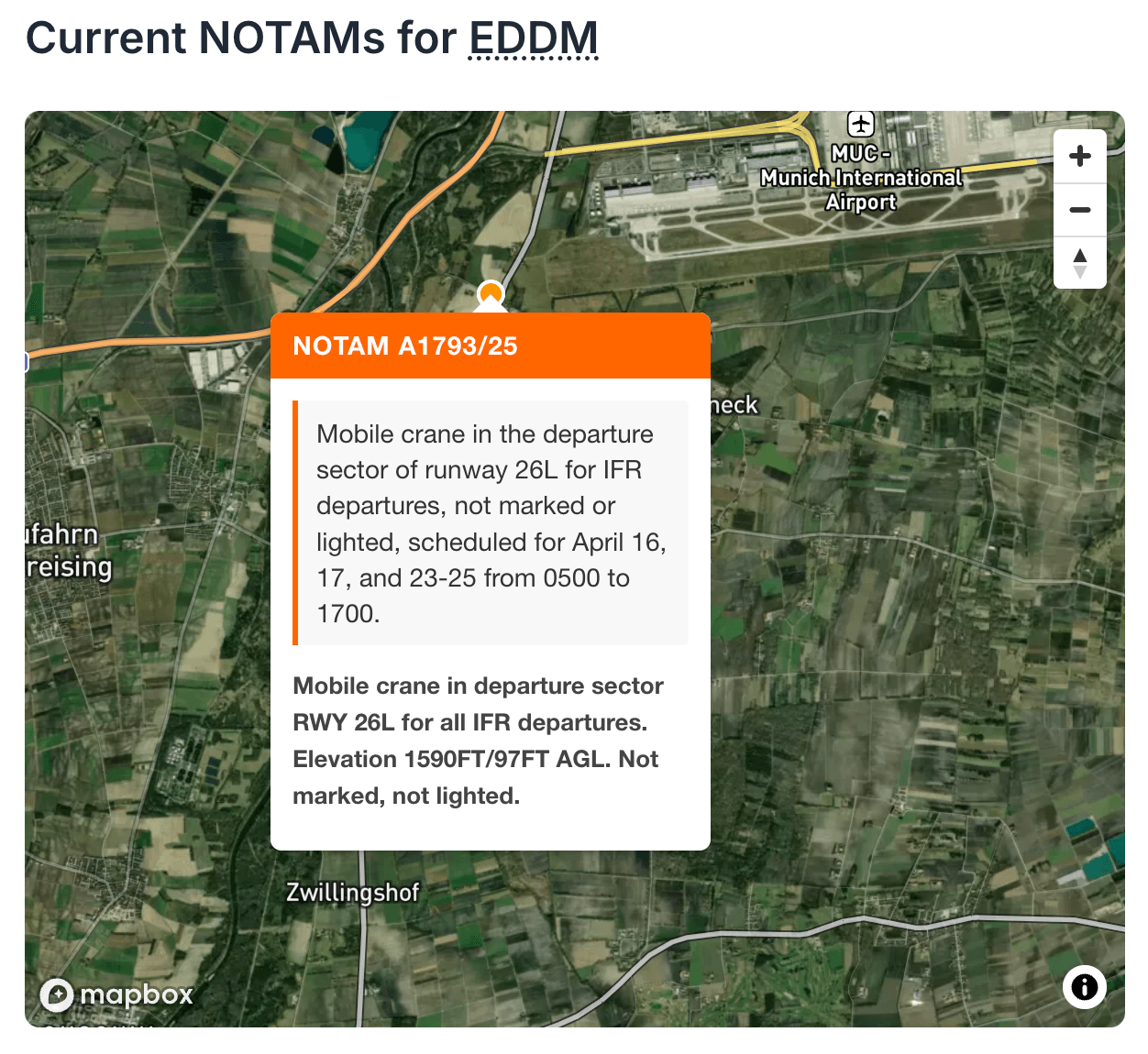
The Notamify Globe helps users review spatial NOTAMs by showing:
- Coordinate-based areas and points on a map
- Complex polygons, circles, and radius-based restrictions
- Provides smooth 3D globe navigation optimized for both desktop and mobile
- Color-codes different types of restrictions (obstacles, restricted areas, etc.)
- Displays popup information on hover for quick reference
The Globe feature is available now to all Notamify Pro users.
Try Notamify Globe Today
Experience the transformation of spatial NOTAM visualization firsthand:
- Log in to your account →
- Select any airport or FIR with coordinate-based NOTAMs (like RJJJ)
- The Globe view will automatically display any NOTAMs with geographical components
- Use the layout controls to customize your view
New to Notamify? Start your free trial → and see how our visual approach to spatial NOTAMs can enhance your flight planning and briefing process.
Want to share your experience with Notamify Globe? We'd love to hear your feedback at [email protected].

Read more...
Your AI Agent, Connected to Notamify
10/20/2026
Use Notamify coverage, interpretations and briefings in Codex, ChatGPT and Claude. Connect with your existing account and manage access in Notamify.
Track Starship NOTAMs and Restrictions
9/27/2026
Explore Starship launch restrictions, route closures and re-entry NOTAMs on one map, with notices grouped by airport and flight information region.
Faster Flight Briefings and Automatic Airport Summaries
9/25/2026
Flight briefings now generate 47% faster with improved accuracy. Airport summaries take around few seconds, with a new Auto option for airport pages.
4 Million NOTAMs: What Happens After an Airport Closes
9/12/2026
A review of airport closures, changing airspace restrictions and the information available to flight operations teams in Notamify’s archives.