

Age and Duration Labels in NOTAM Cards: Freshness at a Glance
2/12/2026
When you're triaging many NOTAMs, time context matters as much as content. We added Age and Duration attributes so you can quickly see how fresh a NOTAM is and how long it is expected to affect operations.
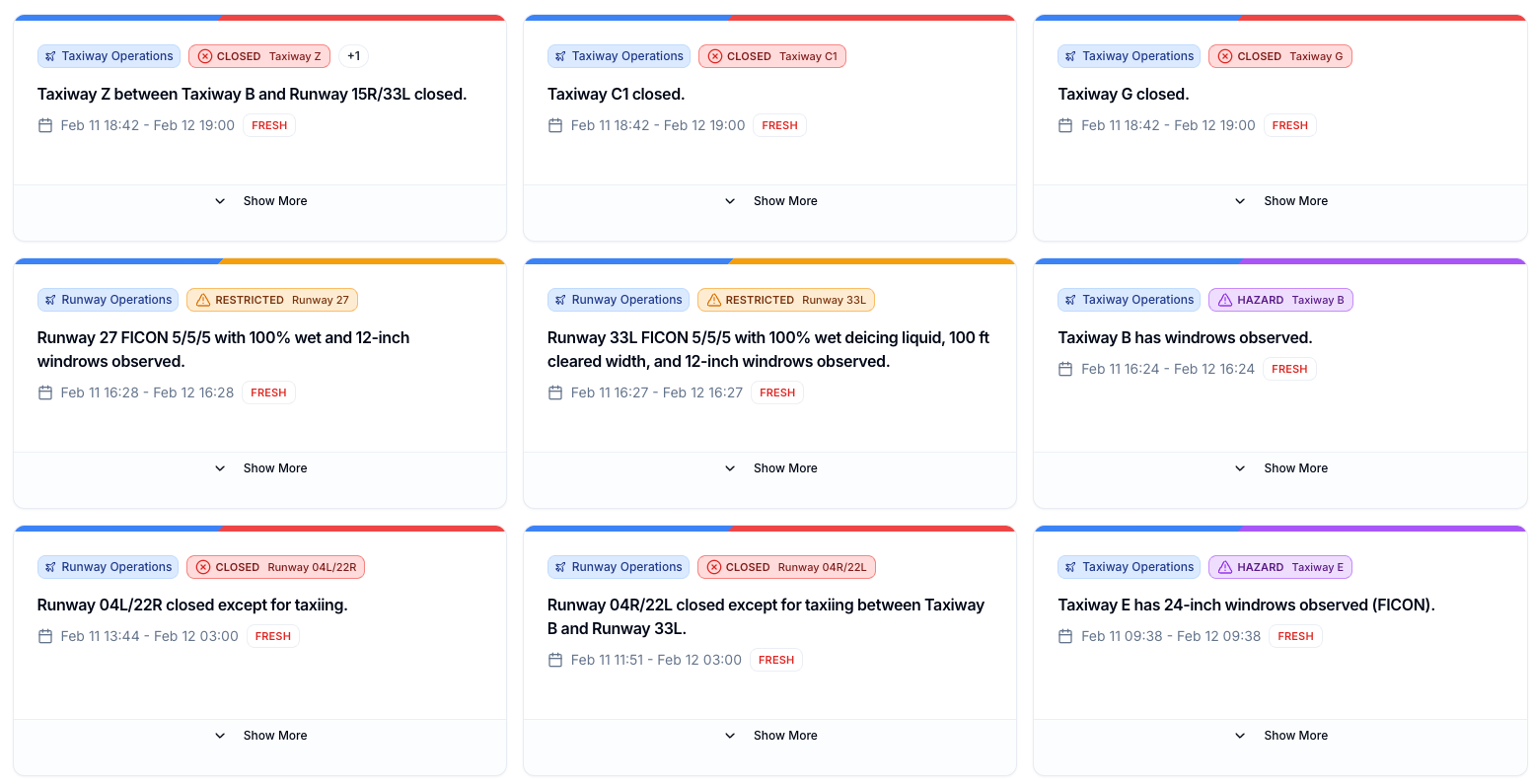
This improvement was built thanks to great feedback from our beta testers. Their day-to-day operational input helped us tune these labels for fast scanning in real-world workflows.
Where these labels appear
- In list cards (in NOTAM airports pages), the Age label is shown as a compact badge for rapid scanning.
- In detail view (in NOTAM details pages), Age and Duration are shown together with extra context.
New sorting rules
We also updated sorting labels and behavior to make ordering clearer.

"Most recent" is now "Latest Effective"
What used to be called Most recent is now labeled Latest Effective.
This reflects the real behavior: sorting by effective start time, newest first.
New "Latest Issued" option
We also added Latest Issued, which sorts by NOTAM issue time (issued_at), newest first.
Use this when you want to track newly published NOTAMs, regardless of when they become effective.
Sorting modes
| Sort option | Rule |
|---|---|
| Latest Effective | Sort by effective start timestamp (descending) |
| Latest Issued | Sort by issue timestamp (issued_at, descending) |
| Category | Sort by category hierarchy order, then subcategory order |
| Importance | Sort by operational relevance when available (Pro) |
Important behavior
- Before any selected sort is applied, list ordering first prioritizes NOTAMs active in your selected time range.
- This means active NOTAMs surface first, then each group follows the selected sorting mode.
Age label behavior
Age labels are coarse freshness cues. They help you distinguish newly issued NOTAMs from notices that have been active for longer periods without forcing you to parse timestamps during a quick scan.
The labels move from FRESH through RECENT, AGING, OLD, and VERY OLD as the notice ages. Exact thresholds can evolve as we tune the review experience, but the intent stays the same: put freshness in front of the user without adding another column of raw dates.
Duration label behavior
Duration labels describe how long a NOTAM is expected to affect operations. Short-lived NOTAMs get compact labels, long-running notices are marked accordingly, and permanent NOTAMs are called out separately.
If the NOTAM end time is estimated, the badge can include an estimated-end cue so users know the timing may change.
Cumulative duration (aggregated)
Some NOTAMs are not continuously active. They may have active windows from schedule interpretation. In those cases, Notamify calculates cumulative active time. When this path is used, the duration badge indicates that scheduled active windows were aggregated.
This gives a more operationally accurate view for NOTAMs active in discrete windows.
Built with beta feedback
This feature started with a suggestion from one of our beta users, who asked for faster freshness and timing cues during high-volume NOTAM review. That single piece of practical feedback helped shape this release.
Want to have direct impact on our development and what we build next? Join our beta test program.

Read more...
Track Starship NOTAMs and Restrictions
9/27/2026
Explore Starship launch restrictions, route closures and re-entry NOTAMs on one map, with notices grouped by airport and flight information region.
Faster Flight Briefings and Automatic Airport Summaries
9/25/2026
Flight briefings now generate 47% faster with improved accuracy. Airport summaries take around few seconds, with a new Auto option for airport pages.
4 Million NOTAMs: What Happens After an Airport Closes
9/12/2026
A review of airport closures, changing airspace restrictions and the information available to flight operations teams in Notamify’s archives.
NOTAM App for Pilots on iPhone and iPad
7/24/2026
Notamify is a NOTAM app for iPhone and iPad with clear interpretations, runway and taxiway maps, flight briefings, offline access, and swipe review.